
User Guide
How It Works
Get your Attefine BJ560 up and running in minutes. Follow our step-by-step guide to set up fences, adjust training levels, and keep your dog safe.
Quick Start Guide
Power On
Press and hold the power button for 3 seconds. The LED indicator will flash green when ready.
Set Your Fence
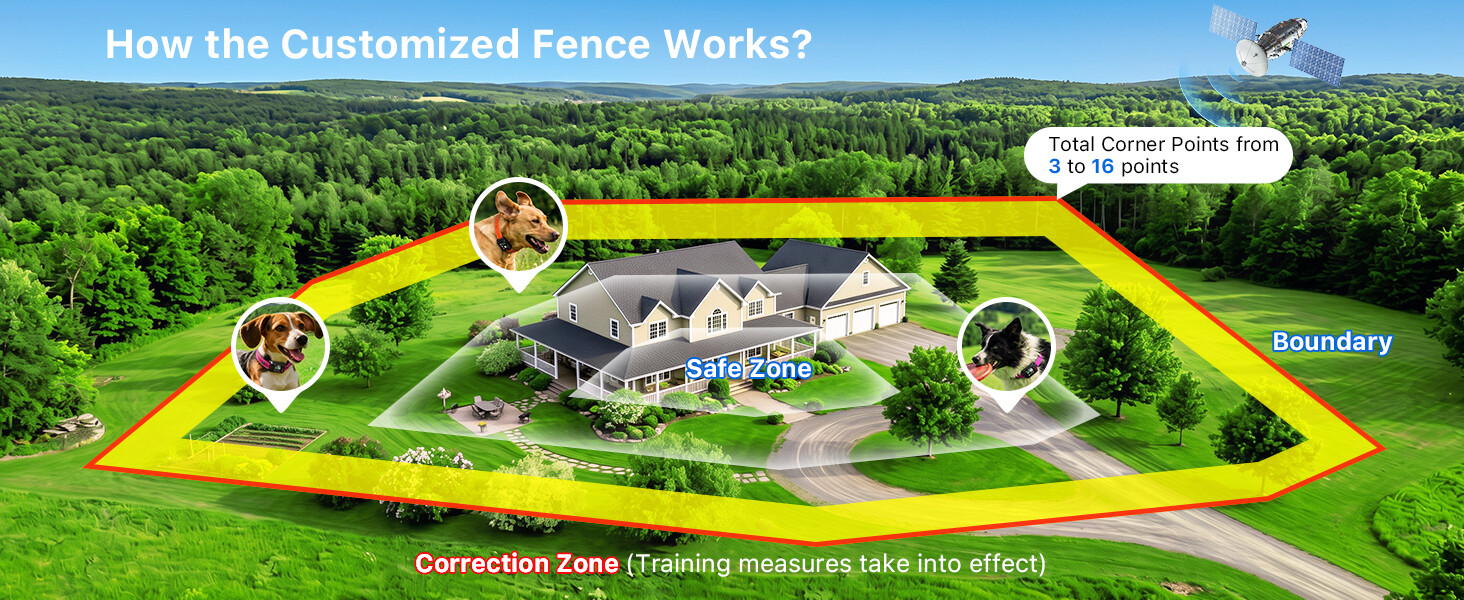
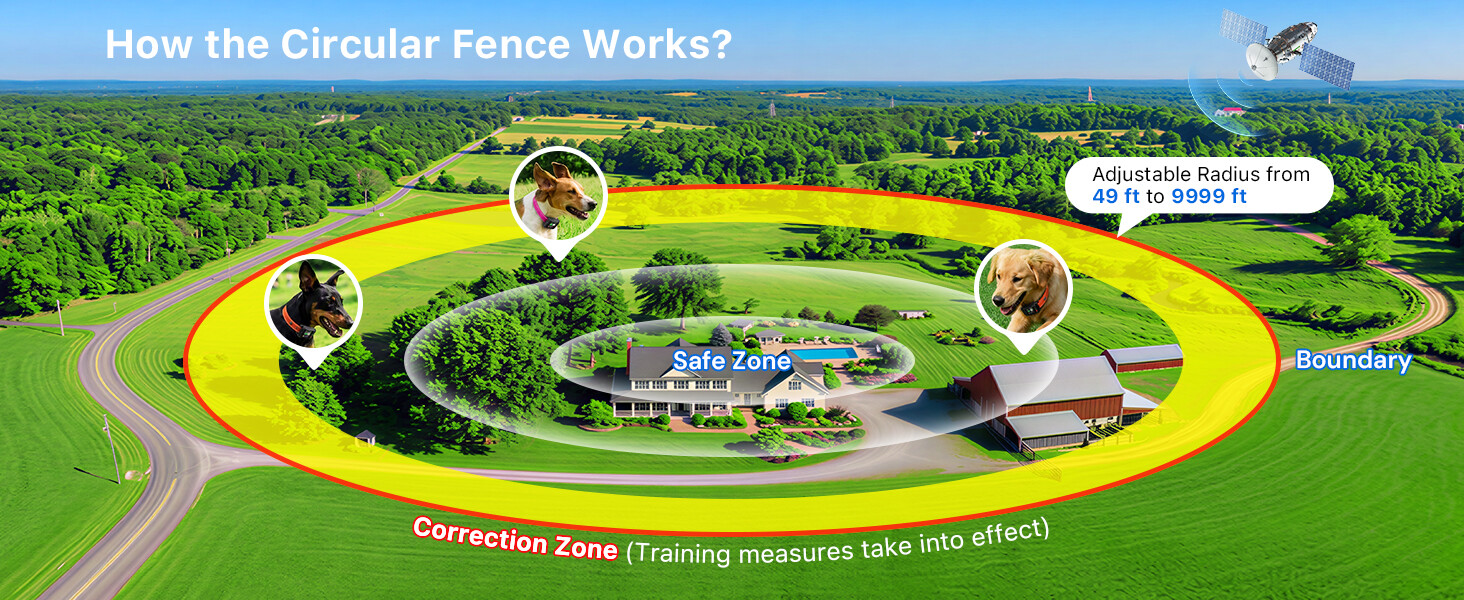
Get enough GPS signal. Choose the irregular (16 points) or circular fence according to your needs, then define the boundary.
Start Using
Attach the collar to your dog at outdoor area. The device will automatically activate the fence and protect your dog.
Fence Setup Tutorials
Irregular Fence Setup
- 1Enter fence setup mode by pressing the Menu button
- 2Select 'Irregular' boundary type
- 3Walk to your first boundary corner point and press 'Set Corner Point'
- 4Continue walking and setting points (up to 16 total)
- 5Set up the final corner point
- 6Confirm and save your fence settings
Circular Fence Setup
- 1Enter fence setup mode by pressing the Menu button
- 2Select 'Circular' boundary type
- 3Stand at your desired center point and press 'Set Center Point'
- 4Adjust the radius using + / - buttons (49 ft to 9,999 ft)
- 5The 10 ft warning zone is automatically enabled
- 6Confirm and save your fence settings
Training Level Guide
Always start with the lowest level and increase gradually based on your dog's response.
Level 1-3
Sound Only
Start with the lowest sound level. Most dogs respond to audio cues alone. Observe your dog's reaction for 3-5 days.

Level 3-5
Sound + Vibration
If sound alone isn't effective, add vibration. The combination of audio and tactile feedback works for most dogs.
Level 5-9
Full Correction
Use static correction only when necessary. Always start at the lowest level and increase gradually. Monitor your dog's comfort.
Protection Mode
- 1st trigger (9 corrections): 30-second protection
- 2nd trigger: 60-second protection
- 3rd trigger: permanent protection until button press
- Returning to safe zone resets the counter
Charging & Care
- Magnetic charging port for easy connection
- IP67 waterproof - safe in rain and water
- Clean with damp cloth after outdoor use
- Store in dry place when not in use
Still Have Questions?
Our support team is here to help you get the most out of your Attefine GPS dog fence.
Contact Us